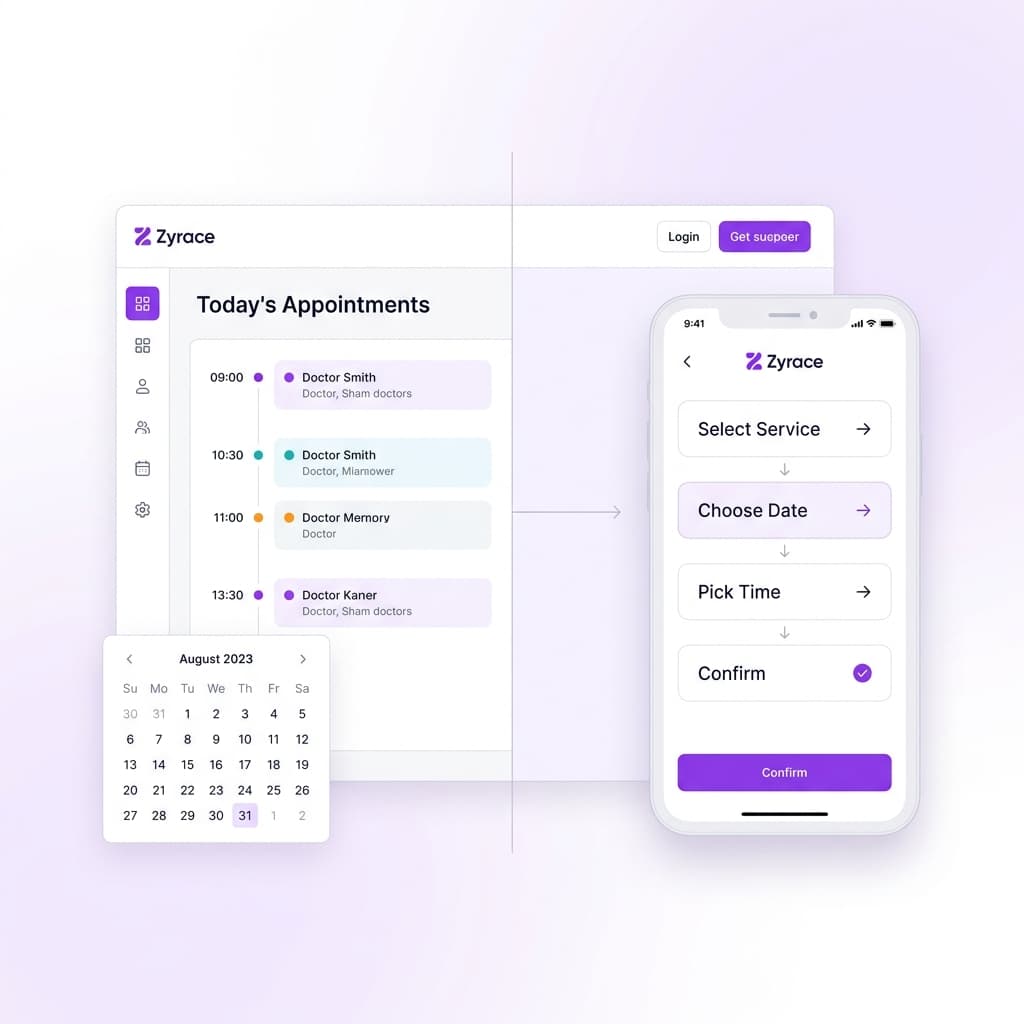
Online Booking Systems for Businesses: Features, Benefits & Cost Guide
Businesses that manage appointments, reservations or scheduled services often rely on phone calls, WhatsApp messages, spreadsheets or manual calendars.
An online booking system brings this process into a structured digital workflow, allowing customers to view available options, submit bookings and receive confirmations while the business manages schedules from a central system.
The right booking system is not simply an online calendar. It should reflect how the business actually operates from availability and customer information to confirmations, reminders, staff schedules and administration.
What Is an Online Booking System?
An online booking system is software that allows customers to schedule an appointment, reservation or service through a website or application. Instead of managing every booking manually, the business has a central system for managing scheduled services and customer information.
Why Are Businesses Moving From Manual Booking?
Many small and medium-sized businesses still manage appointments through phone calls, WhatsApp, social media messages, paper records or spreadsheets. These methods work when booking volume is low. As the business grows, several problems can appear.
- Double bookings - two customers given the same time slot
- Missed enquiries - messages overlooked during busy periods
- Manual confirmations - staff repeatedly sending the same messages
- Limited visibility - no clear view of upcoming appointments
- Poor customer history - records scattered across different channels
An online booking system can bring these processes together into a single, manageable workflow.
What Should an Online Booking System Include?
The required features depend on the business. However, a professional booking platform commonly includes the following components.
1. Service & Availability Management
Businesses should be able to define what customers can book and when it is available. Availability may depend on working hours, staff schedules, service duration, holidays, break times and existing bookings. This is more useful than simply displaying a static calendar.
- Doctor consultation, hair appointment, vehicle service, tour package, training session
- Per-staff or per-resource availability windows
- Duration-based slot blocking
- Holiday and break time exclusions
2. Customer Booking Flow
The customer should have a simple, low-friction booking experience. The fewer unnecessary steps, the better.
3. Notifications & Reminders
Automated notifications can significantly reduce manual communication. Depending on business requirements, these can include booking confirmations, appointment reminders, cancellation notices, rescheduling notifications and follow-up messages delivered via WhatsApp, SMS or email.
4. Admin Dashboard
The business needs more than a customer-facing booking form. An admin dashboard provides a central place to manage operations.
- Today's appointments and upcoming bookings
- Customer information and booking history
- Staff schedules and available slots
- Cancellations and booking status
- Reports and analytics
5. Multiple User Roles
A larger booking platform may have several user types. Each role should only access the functionality required for their responsibilities.
Which Businesses Can Use Online Booking Systems?
Booking technology is not limited to one industry. The workflow changes by sector, but the underlying concept remains the same: Availability Booking Confirmation Management.
- Healthcare - doctor appointments, clinics, dental practices
- Beauty & Wellness - salons, spas, therapists
- Professional Services - consultants, lawyers, coaches
- Education - tuition classes, training centers, private instructors
- Travel - tour bookings, hotel reservations, transfer services
- Automotive & Services - vehicle servicing, repair appointments, home services
Booking Form vs Booking Management System
These are not the same thing. Understanding the difference helps businesses choose the right solution.
Standard
Simple Booking Form
Advantages
- Fast to set up
- Low initial cost
- Works for low-volume businesses
Considerations
- Staff must manually confirm each booking
- No availability management
- No admin dashboard or reporting
- Cannot scale with growth
Recommended
Booking Management System
Advantages
- Real-time availability management
- Automated confirmations and reminders
- Central dashboard for operations
- Staff/resource scheduling
- Can scale with the business
Considerations
- Higher initial development or setup effort
- Requires workflow planning
- Ongoing maintenance needed
A business with multiple staff members, services or schedules will generally need the second approach.
When Should a Business Build a Custom Booking System?
A ready-made booking platform can be a good starting point. Custom development becomes more useful when the business needs unique booking rules, multiple user roles, complex availability management, WhatsApp automation, existing-system integration, multi-branch support or industry-specific workflows.
The decision should be based on business requirements, not simply on whether custom software sounds more advanced.
How Much Does an Online Booking System Cost?
There is no single price that applies to every business. The overall investment depends on the number of users, services and booking complexity, admin functionality, notifications, payment integration, WhatsApp integration, reporting, multiple branches and third-party integrations.
A basic booking form and a complete appointment management platform may look similar from the outside, but their underlying requirements can be very different. For this reason, a project should always be estimated from the actual workflow and requirements rather than the number of screens alone.
How to Plan an Online Booking System
Before starting development, define these key areas to prevent unnecessary scope creep and unexpected costs.
- 1Identify the service - what exactly is the customer booking?
- 2Define availability - who provides the service and when are they available?
- 3Define booking rules - can customers cancel, reschedule or book multiple services?
- 4Define users - who needs access to the system and at what level?
- 5Define notifications - WhatsApp, SMS or email?
- 6Define payments - is payment required during booking?
- 7Define administration - what should the business owner see and manage?
A Real-World Example From Zyrace
At Zyrace, we've built business applications where booking is part of a larger operational workflow rather than treated as a standalone form. For an appointment-based healthcare application, the workflow connects:
This demonstrates why a professional booking platform needs to consider both sides of the experience: customer experience and business operations working together in one system.