How We Built a Clinic Appointment & Management System
Managing appointments becomes increasingly difficult when patients, doctors and clinic staff rely on separate tools for scheduling and communication.
Phone calls, WhatsApp messages, spreadsheets and manual calendars can work for a small number of appointments, but the workflow becomes harder to coordinate as the number of doctors, patients and appointments grows.
For one of our healthcare projects, we designed a digital appointment and management system that brings the key parts of the workflow into one platform. The goal was not simply to create an appointment form. The goal was to create a system that supports the complete appointment workflow from booking to administration.
The Challenge
A clinic appointment process can involve several people and stages. When these activities are handled manually, several problems can occur.
Common challenges
- Appointment information is spread across different channels.
- Staff need to manually coordinate schedules.
- Patients may need to contact the clinic repeatedly.
- Doctors need clear visibility of their appointments.
- Administrators need a central view of clinic activity.
- Appointment information can become difficult to track over time.
The system therefore needed to consider both the patient experience and the clinic's internal workflow.
Our Approach
We started by understanding the workflow before designing the interface. Instead of beginning with “What screens should we build?” we started with “What happens from the moment a patient wants an appointment until the appointment is managed by the clinic?”
This helped us identify the users, data, permissions and system actions required before writing a single line of code.
Design the workflow first. The interface follows from understanding the business process, not the other way around.
The Core Workflow
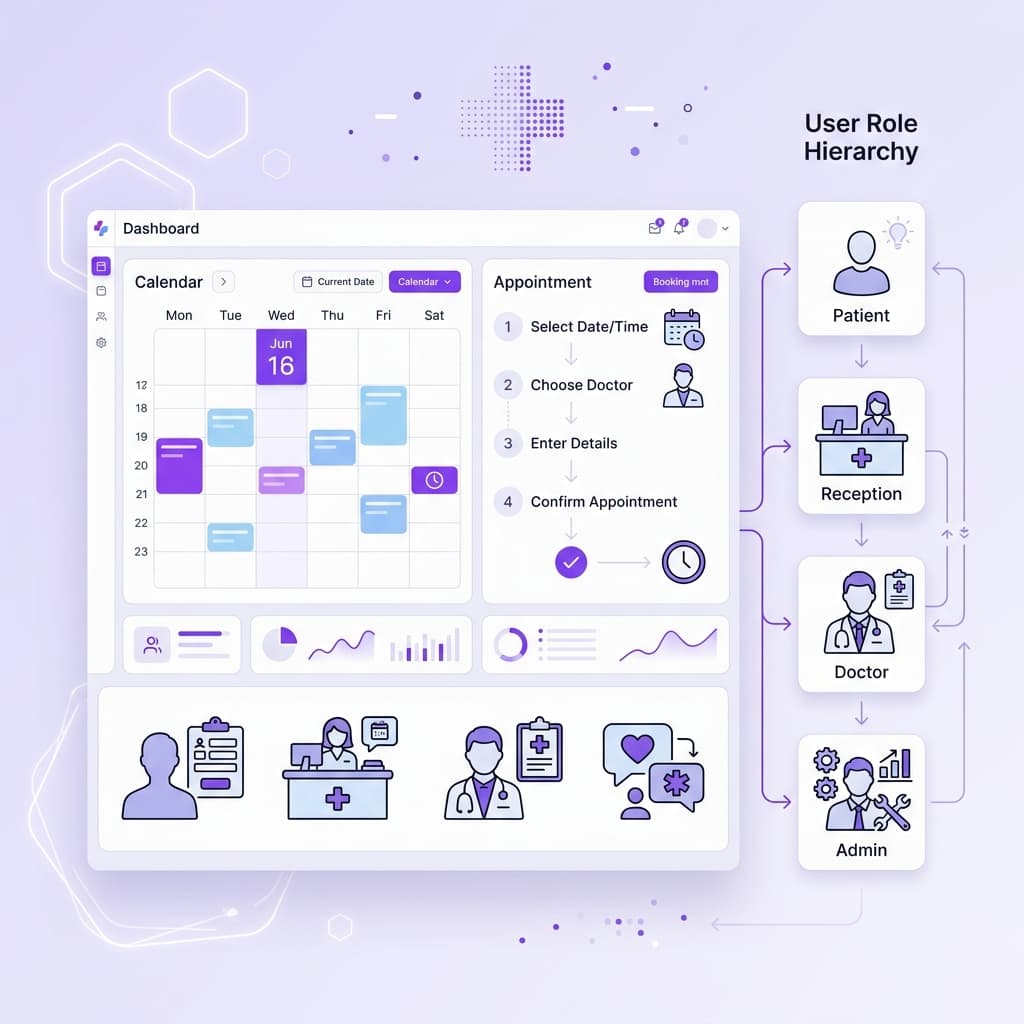
The resulting workflow became the foundation for the entire application architecture:
Patient Booking Experience
The patient-facing experience needs to remain simple. A patient shouldn't need to understand how the clinic's internal system works. The booking process should guide them through the required information in the fewest steps possible.
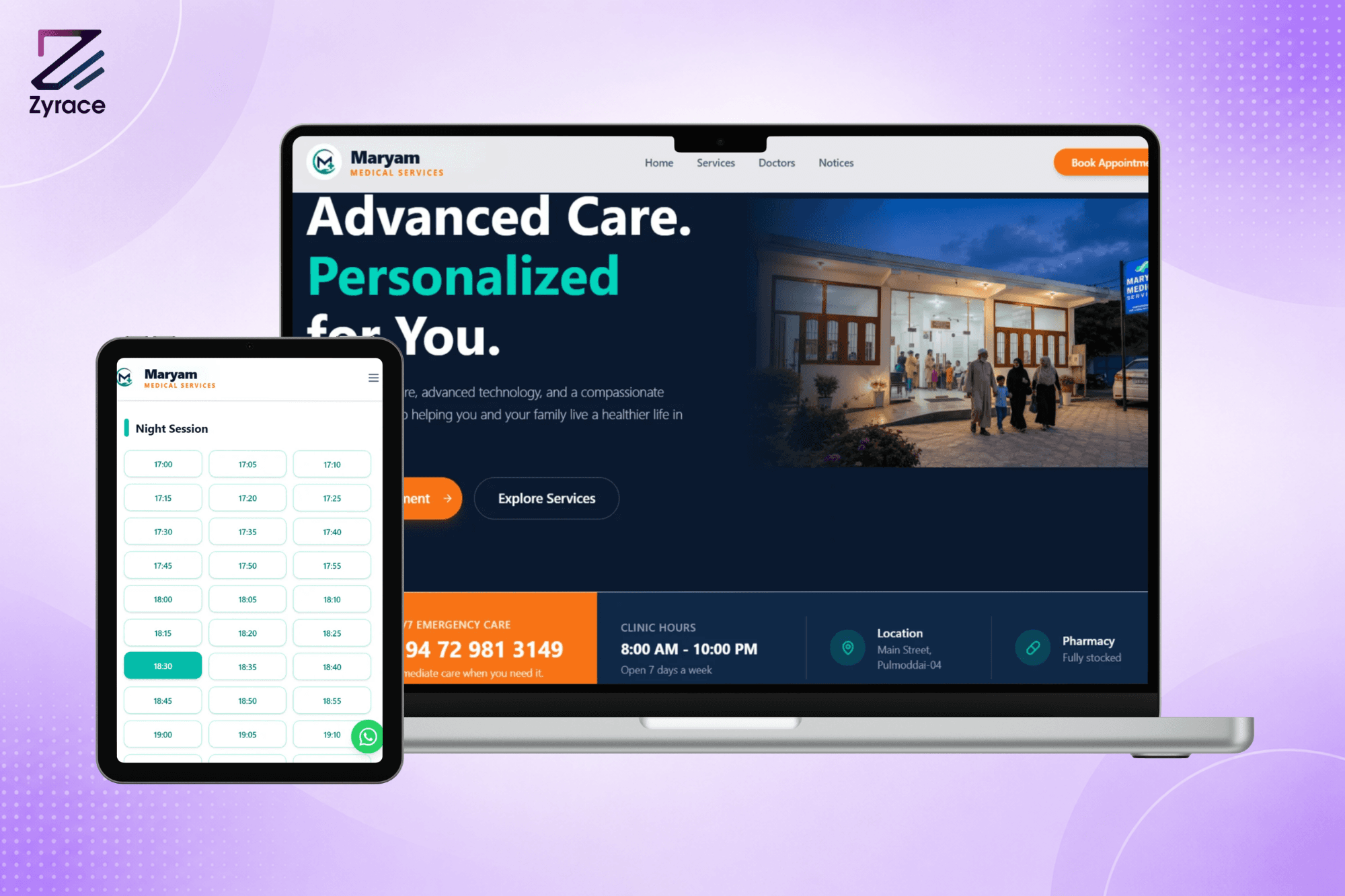
For Maryam Medicare, patients can book directly through the web interface or through a WhatsApp bot conversation both connected to the same availability system in real time.
Patient Booking
Design principle
Simple for the patient. Structured for the clinic.
Doctor Availability
One of the important parts of an appointment system is availability management. A booking system needs to understand which doctors are available, when they are available, which slots are already booked, and how schedules should be presented.
- Which doctors are available on a given date
- When each doctor is available (time windows)
- Which slots are already booked
- Which appointments are cancelled or rescheduled
- How to present available time clearly to patients
For this project, the system supports precise 5-minute time slot intervals, giving patients a clear view of exact appointment availability rather than vague “morning” or “afternoon” windows.
Appointment Management
Once an appointment is created, it becomes part of the clinic's operational workflow. The management interface provides clinic staff with visibility into:
- Upcoming appointments and daily schedule
- Appointment status management
- Patient information and booking history
- Doctor schedules and session filters
- Cancellations and rescheduling
- Data-driven booking analytics
Different Users, Different Responsibilities
The healthcare management system contains multiple user roles. Each role sees the information and actions relevant to their responsibilities. Separating roles improves usability and reduces unnecessary access to sensitive data.
Administrator
Manages the full system: doctors, users, schedules, appointments and system configuration.
Reception / Staff
Manages patient bookings, appointment status, schedules and patient communication.
Doctor
Views their personal schedule, upcoming appointments and relevant patient information for the session.
Designing the Admin Experience
A management dashboard should answer important operational questions immediately. For Maryam Medicare, the admin dashboard provides:
- How many appointments are scheduled today?
- Which doctors are available and when?
- What appointments are upcoming or require attention?
- Daily booking breakdown by session
- Seven-day appointment trend charts
Instead of navigating multiple screens to find this information, important operational data is surfaced through the central dashboard and structured views.
Notifications & Communication
The system becomes more useful when important events trigger automatic notifications. For Maryam Medicare, several notification channels were implemented:
- Booking confirmation via WhatsApp
- Appointment reminder via SMS (Text.lk gateway)
- WhatsApp bot for 24/7 patient self-booking
- Staff notifications for new bookings
The WhatsApp bot connects the booking system directly to the patient's communication channel, allowing patients to book appointments through a conversational interface without needing to visit the website. Both booking paths web and WhatsApp share the same availability and data system.
The Technology Behind the System
The frontend provides the patient and staff experience. The backend manages the business rules, availability logic, data and integrations.
Technology Stack
FastAPI (Python)
Backend API and business logic
PostgreSQL
Primary database and data storage
SQLAlchemy
ORM and database access layer
Redis
Caching and performance layer
Next.js 16 (React)
Patient-facing web application and admin dashboard
TypeScript
Type-safe frontend development
Recharts
Analytics and booking trend visualization
Meta WhatsApp Cloud API
WhatsApp bot and patient notifications
Text.lk SMS Gateway
SMS appointment reminders
JWT Authentication
Secure role-based access control
Why the Backend Matters
A booking system is not just a frontend calendar. The backend needs to handle business rules that the user interface cannot enforce alone.
- Appointment creation and slot reservation
- Real-time availability enforcement
- Duplicate booking prevention
- User permissions and role validation
- Appointment status transitions
- Data validation and input sanitization
- Authentication and secure session management
- Database operations and relational integrity
For example, two patients cannot successfully reserve the same unavailable time slot. That logic is enforced at the API level, not just in the user interface.
Designing for Real Business Operations
One of the most important lessons from building business software is that the application should follow the real workflow. A visually attractive dashboard doesn't automatically solve an operational problem.
This approach helps prevent unnecessary features and keeps the system aligned with how the clinic actually operates day to day.
What Makes a Good Appointment System?
A successful appointment platform should provide value to both sides of the interaction.
Standard
For Patients
Advantages
- Simple booking process
- Clear availability display
- Easy information entry
- Booking confirmation
- Appointment reminders
- Mobile-friendly experience
Considerations
- Should not require understanding the clinic's internal workflow
- Should not require creating accounts for basic bookings
Recommended
For Clinic Staff
Advantages
- Centralized appointment view
- Doctor schedule management
- Patient information access
- Status management
- Administrative controls
- Analytics and reporting
Considerations
- Should not require manual confirmation of every booking
- Should not duplicate work already done by the system
What We Learned From the Project
A booking system may initially appear to be a simple feature. In practice, the underlying requirements can become significantly more complex. Availability, user roles, scheduling rules, notifications, patient information and administration all need to work together.
A good booking system is designed around the complete business workflow, not just the booking form.
When Does a Business Need a Custom Booking System?
A ready-made booking platform may be sufficient when the workflow is simple. Custom development becomes more suitable when a business needs:
- Specialized booking rules or multi-step workflows
- Multiple staff or doctors with individual schedules
- Multiple branches or service locations
- Custom user roles and permission levels
- Industry-specific workflows (e.g. healthcare, legal, education)
- WhatsApp or SMS integration for patient communication
- Payment integration at booking time
- Custom dashboards and analytics
- Patient or customer management and history
- Integration with existing systems or software